Optum Specialty Provider Portal · United Healthcare · Healthcare
Prescription Refill Flow
From manual phone calls to a guided digital refill workflow for specialty care providers.
Role
Senior UX/UI Designer
What I owned
Research, user flows, UX/UI design, prototyping, usability testing and design QA.
Team
Product, design, accessibility and engineering, with copywriters and the design-system team.
Tech stack
Figma · design and annotations
Rally · backlog
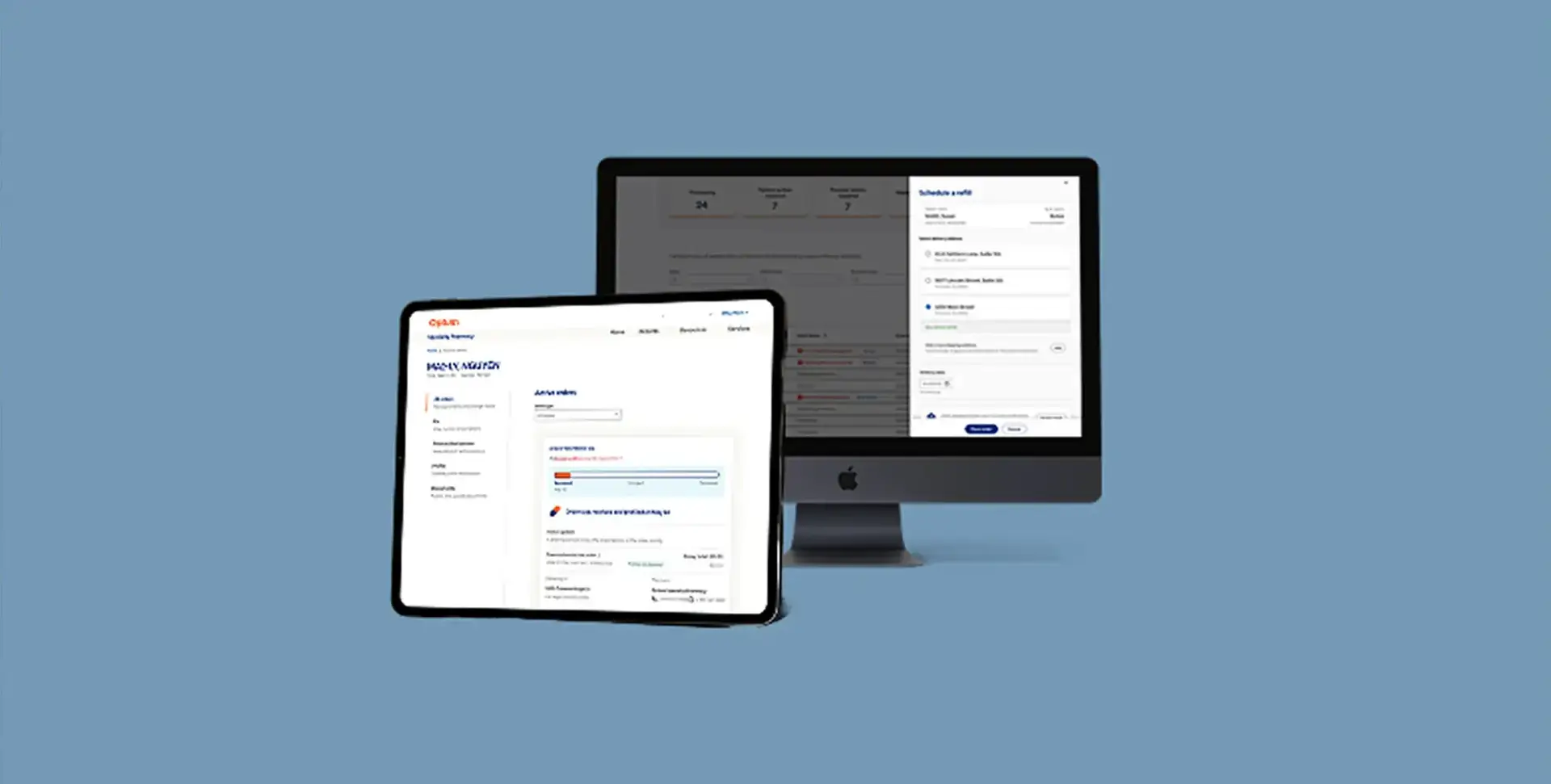
{{ s0 }}
Digital refills per workday
{{ s1 }}
Estimated savings per refill
{{ s2 }}
Estimated annual savings
Annualized estimate: 34 refills/day × $12/refill × 260 workdays = $106,080. Based on reported usage and per-order cost savings, not an audited financial result.
01 · Discover
Refills should not require another call.
Providers and assistants manually phoned refill requests into a call center. That created an inefficient workflow and operational cost.
The goal was to review and process pending orders directly in the portal, reducing manual effort.
Research
Mapping the flow first.
Working with the product lead, I gathered requirements and mapped the flow and data needs. The design had to fit established portal patterns and connect existing patient information to the refill sequence.
02 · Define the user experience (UX)
Shaping the refill experience.
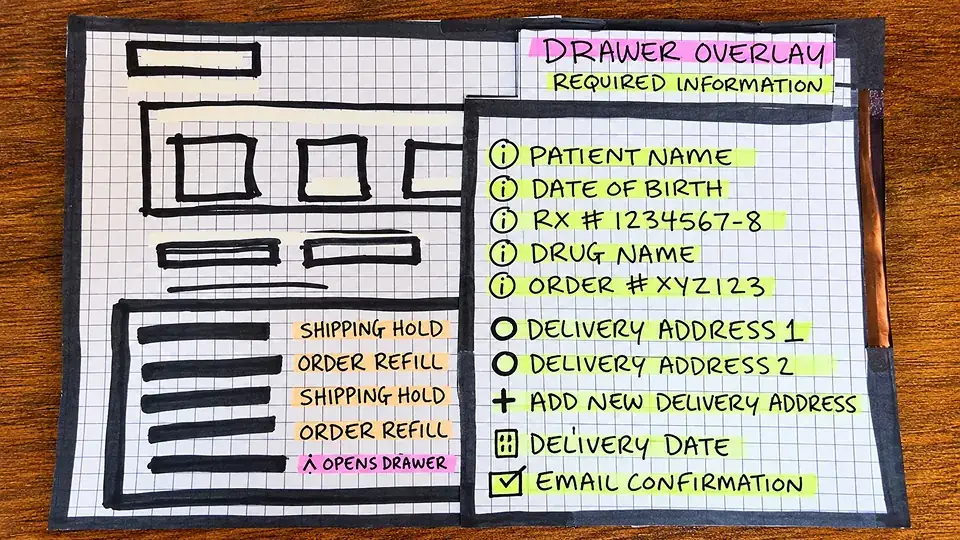
Paper sketches, digital wireframes, and an interactive prototype transformed the refill requirements into a streamlined workflow, helping providers identify orders requiring action and schedule deliveries directly within the portal.
What it shows
Early layouts exploring order visibility, refill actions, and the information providers needed to complete requests.
Why it mattered
Established the interface hierarchy before committing to detailed layouts or interactions.
Result
Defined a clear starting point for identifying orders and initiating refills.
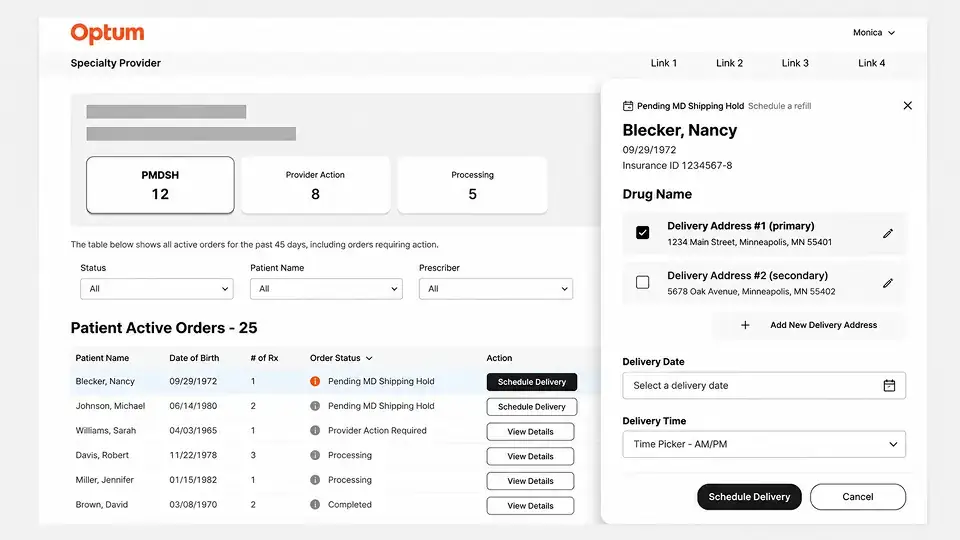
What it shows
Refined layouts connecting pending orders, patient details, delivery selections, and submission actions.
Why it mattered
Clarified information grouping and established consistent interaction patterns within the existing portal.
Result
Created a cohesive interface structure ready for interactive prototyping.
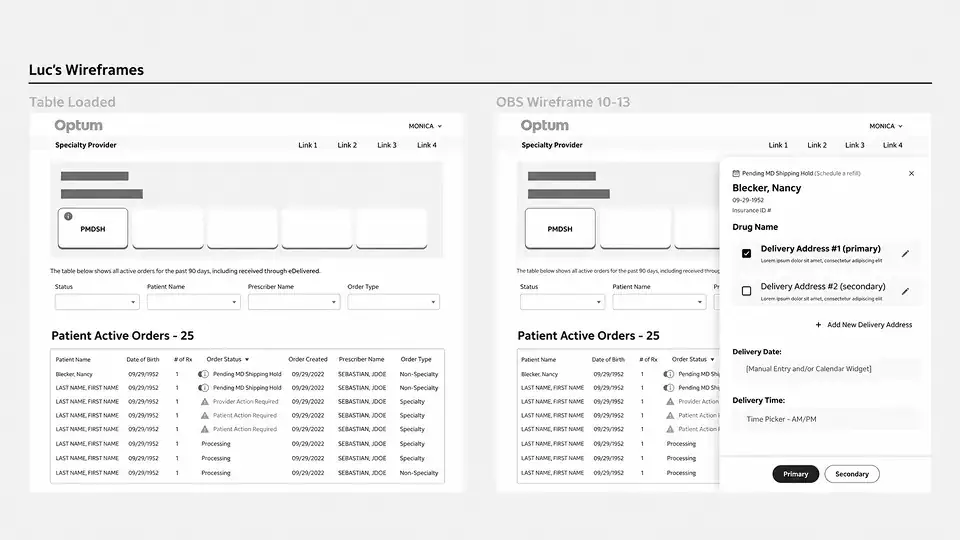
What it shows
Interactive screens connecting order selection, patient review, delivery scheduling, and refill confirmation.
Why it mattered
Made the end-to-end experience tangible for evaluating task flow and gathering stakeholder feedback.
Result
Established an interactive foundation for usability testing and high-fidelity design.
03 · Design THE user interface (ui)
A guided refill, connected to the portal.
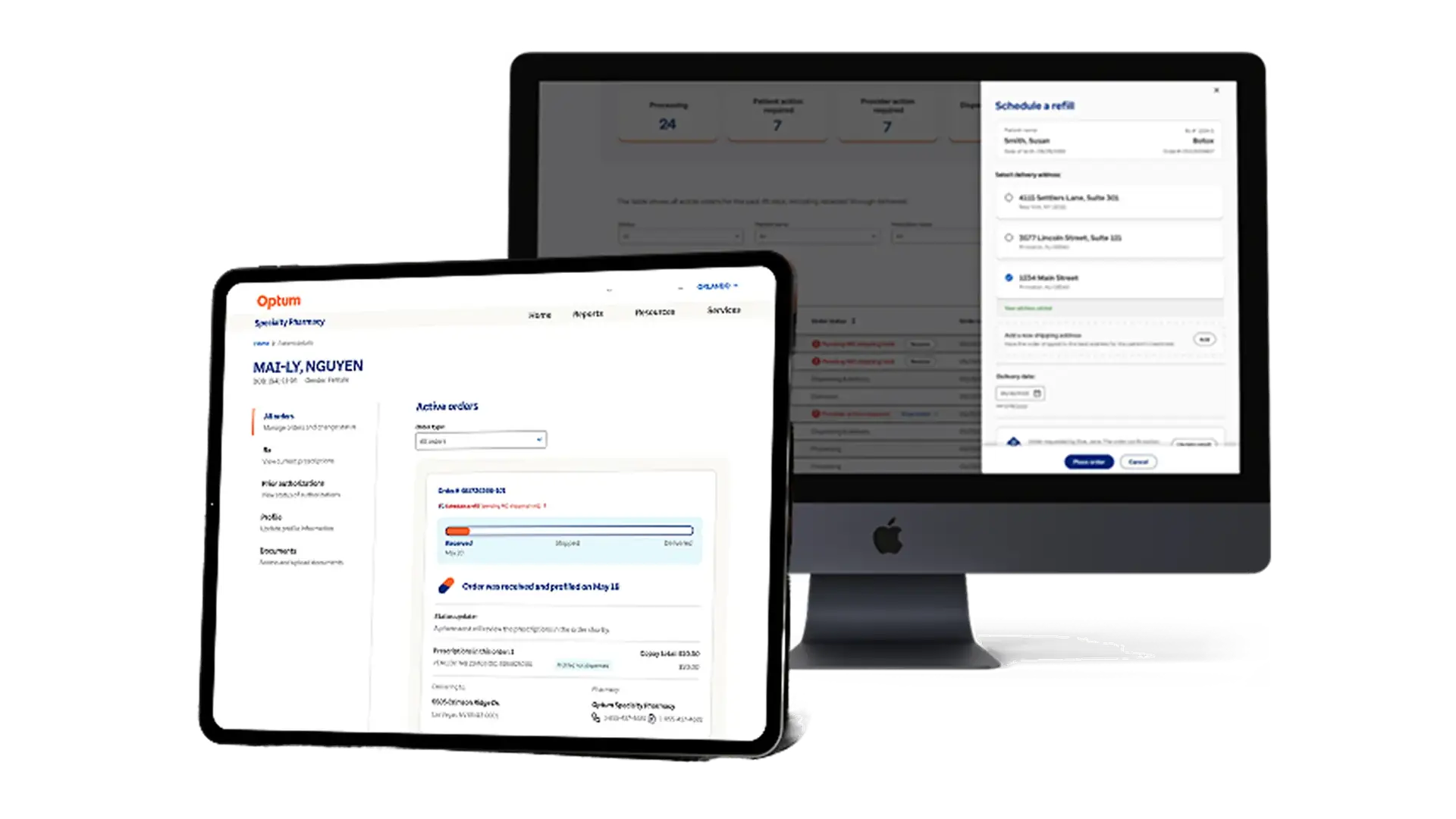
The final design connects order status, patient information, and delivery scheduling within the existing portal, helping providers complete refill requests without losing sight of their active orders.
04 · Prototype
Presenting the flow.
The interactive prototype brought the refill experience to life, allowing product, design, and engineering stakeholders to review the workflow, evaluate interactions, and align on refinements before development.
What we tested
The prototype demonstrated how providers could identify prescriptions requiring action, review prepopulated patient details, schedule delivery, and confirm refills without leaving the portal.
05 · Deliver the designs
Bringing design and development together.
I worked with development engineers, accessibility partners, copywriters and the design-system team to carry the details into delivery.
What it shows
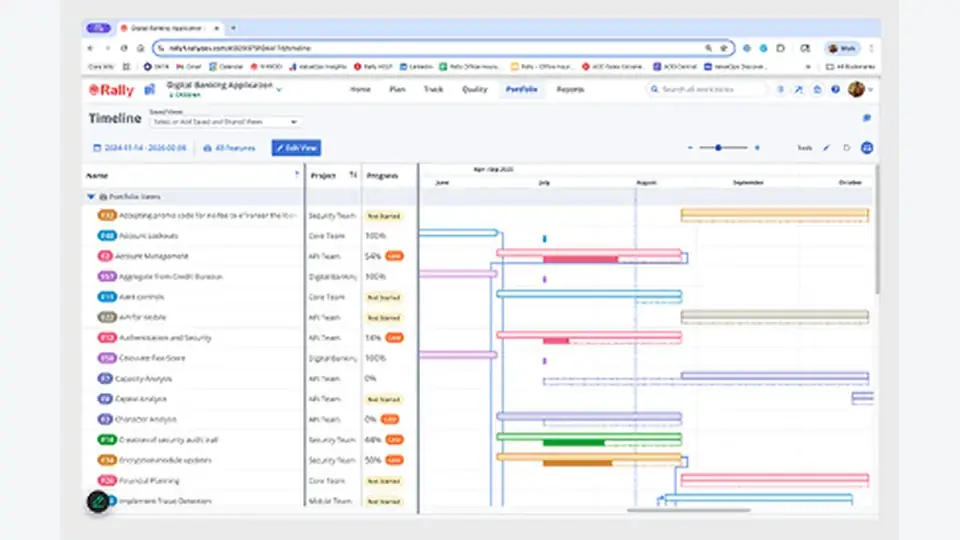
Design specifications, annotated workflows, and Rally backlog items prepared for engineering implementation.
Why it mattered
Connected design decisions to actionable development requirements, keeping product and engineering aligned.
Result
Established a shared implementation reference for building and tracking the refill experience.
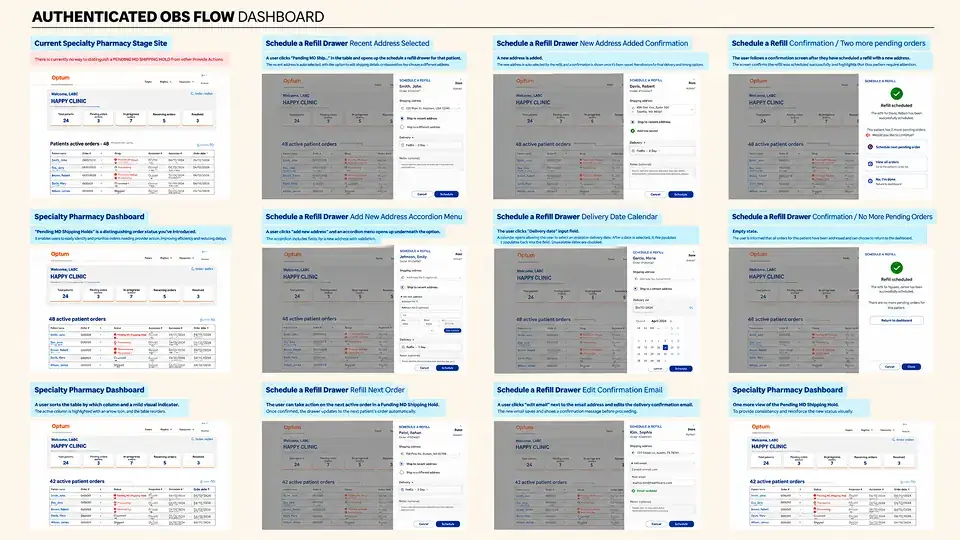
What it shows
Figma annotations documenting component behaviors, conditional fields, interaction states, and submission flows.
Why it mattered
Clarified how the interface should respond to provider actions, reducing ambiguity during development.
Result
Provided engineering with detailed interaction guidance beyond the visual mockups.
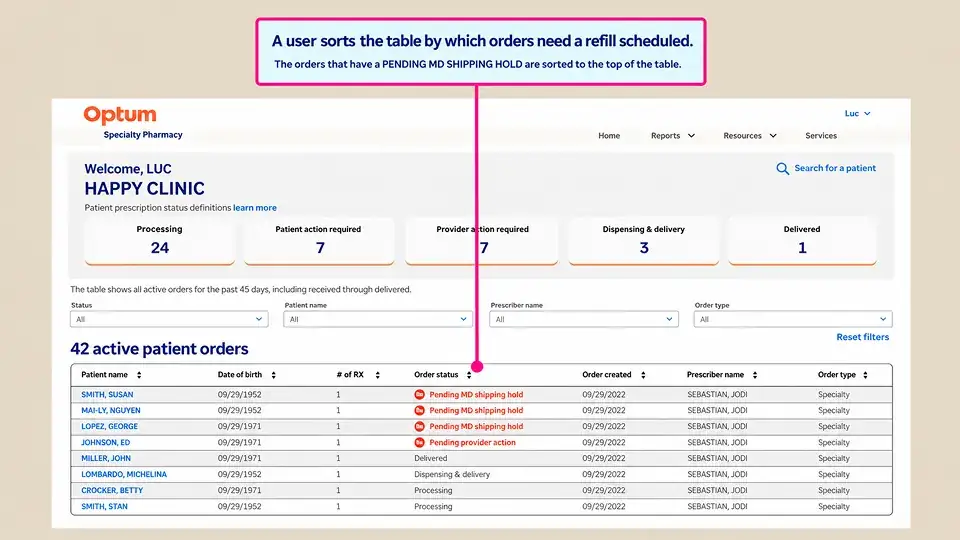
What it shows
Design quality assurance reviews comparing the implemented experience against approved Figma designs.
Why it mattered
Identified visual, interaction, and accessibility discrepancies before release.
Result
Supported design fidelity and consistent interactions through engineering collaboration and iterative refinements.
06 · Measure the IMPACT (Analytics + KPIs)
Connecting design decisions to operational value.
Post-launch usage and cost estimates demonstrated the refill workflow's operational value, while provider feedback reinforced the importance of creating reliable, intuitive healthcare experiences.
What it shows
Post-launch usage averaged 34 digital refills per workday, with estimated operational savings exceeding $100,000 annually.
Why it mattered
Moving refill requests online reduced reliance on phone-based coordination and lowered the cost of processing orders.
Result
The estimated $12 saved per digital refill translated to approximately $106,000 in annual operational savings at the observed usage rate.
What we heard
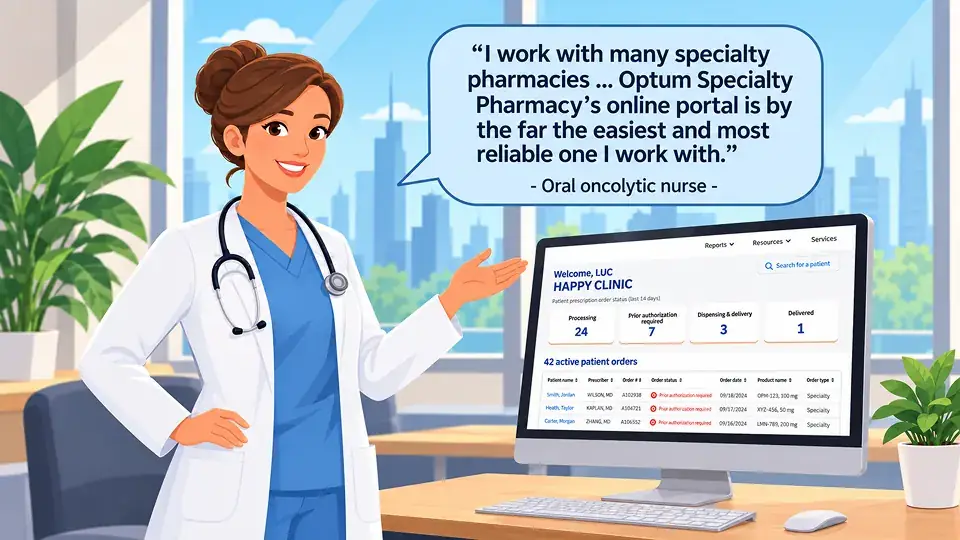
“I work with many specialty pharmacies ... Optum Specialty Pharmacy's online portal is by the far the easiest and most reliable one I work with.” Oral oncolytic nurse, Optum Specialty Pharmacy Portal user
Context
Published feedback about the broader provider portal, which includes the prescription refill experience.
Why it mattered
The feedback reinforced the value of usability and reliability in a portal supporting time-sensitive pharmacy workflows.
Build consistency from the start
Establish reusable interaction patterns early to reduce design rework and simplify implementation.
Design around available data
Align frontend interactions with backend capabilities to ensure prepopulated information and interface behavior work together.
Connect to operational cost
Connect workflow improvements to operational costs to demonstrate business value alongside the provider experience.

Project summary
Refills, without the phone call.
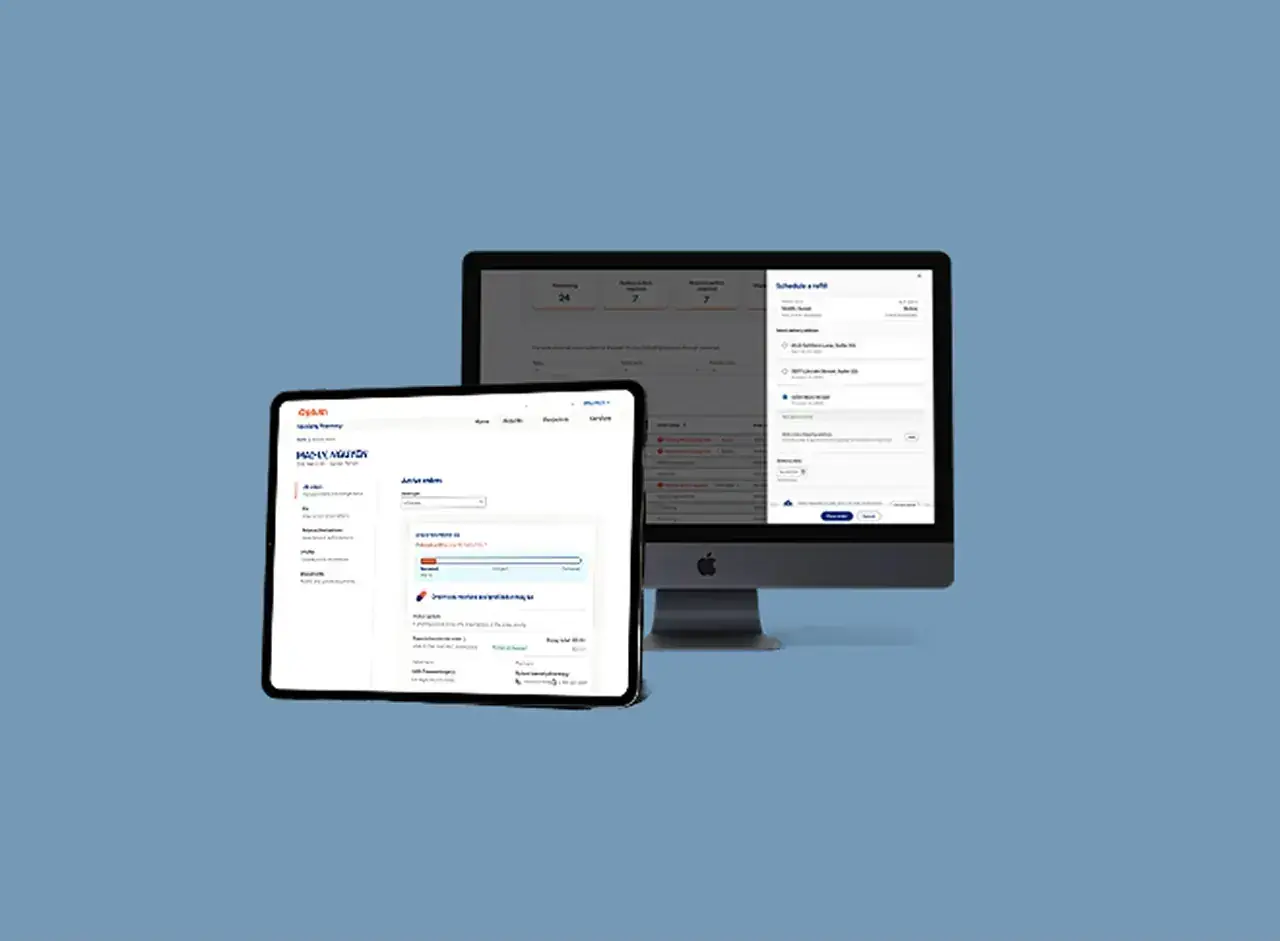
As Senior UX/UI Designer, I designed a guided refill workflow inside Optum's specialty provider portal, from requirements and user flows through design, prototyping and design QA.
Visit Optum Specialty{{ mEyebrow }}
{{ mTitle }}
{{ mBody }}
{{ x.label }}
{{ x.text }}